How to Buy Bitcoin on Cash App in 2026: $1 Minimum, 0% Over $2,000 — and the 3 Fees That Still Catch Beginners
Cash App lets you buy Bitcoin from $1, charges 0% on buys of $2,000+ and 0% on Auto Invest — but a $100 buy costs 2% plus up to 0.75% spread. Fee table, withdrawal speeds and the 7-day settlement trap, explained.
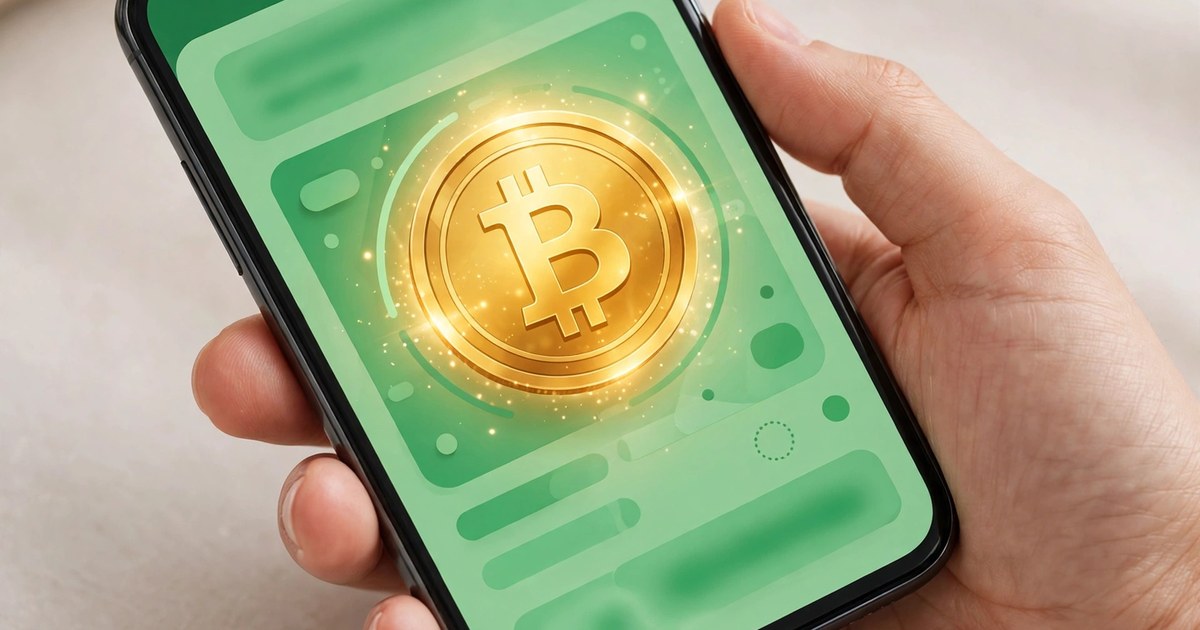
Cash App lets you buy Bitcoin from just $1, charges 0% on buys of $2,000 or more, and charges 0% on scheduled Auto Invest buys — but a $100 one-off buy still costs 2% plus a spread of up to 0.75%. That single gap is the whole story of buying Bitcoin on Cash App in 2026: it can be the cheapest app in your pocket or one of the priciest, depending entirely on how you tap Buy. With Bitcoin trading near $78,000 on November 4, 2026 after an election-night dip to $75,736, and Block's Square switching on Bitcoin payments for millions of shops on November 10, millions of people who already have Cash App are about to ask the same question: is this the right place to buy my first Bitcoin?
This guide answers it with the actual 2026 fee table, the step-by-step buying process, the withdrawal speeds and limits, the zero-fee workarounds, and the traps that catch beginners — including the settlement hold that can lock your coins inside the app for weeks. It is not investment advice, and Bitcoin's price can fall sharply, as the last few days have shown. But if you have decided to buy, the method you choose can save you real money on every single purchase.
What Cash App Bitcoin Actually Is
Cash App, made by Block, Inc., is a money app first and a Bitcoin app second. Inside it you can buy, sell, send and receive Bitcoin (BTC) — and only Bitcoin. That last point matters more than most guides admit. You cannot buy Ethereum, Solana, XRP or any other coin on Cash App, and you cannot send other coins to it: coins sent to a Cash App Bitcoin address that are not Bitcoin can be lost. If you want altcoins, you need a full exchange instead, which is why our best crypto exchange for beginners in 2026 guide exists alongside this one.
When you buy Bitcoin on Cash App, Cash App holds real BTC for you in custody. You do not get a private key inside the app, and you do not truly control the coins until you withdraw them to a wallet you own — which is why the withdrawal section matters as much as the buying section. For the basics, start with What Is Bitcoin? The Complete Beginner's Guide before you spend anything.
Cash App Bitcoin is available to US users aged 18 or older, subject to identity verification and state eligibility — Bitcoin services are not available in every state, so check eligibility in the app first.
The 2026 Fee Table: Where Cash App Is Cheap and Where It Is Not
Here is the fee table that decides whether Cash App is a good deal for you, based on Cash App's published fee table as checked in October 2026. Fees change, and the confirmation screen in the app is always the final word — but the structure has been stable through 2026:
| Order size (market buy or sell) | Cash App fee | Possible spread |
|---|---|---|
| $1 to $499 | 2.0% | Up to 0.75% |
| $500 to $999 | 1.5% | Up to 0.75% |
| $1,000 to $1,999 | 0.9% | Up to 0.75% |
| $2,000 or more | 0% | Up to 0.75% on sells; buys over $2,000 are described as no fee and no spread since February 2026 |
| Auto Invest, Round Ups, Paid in Bitcoin | 0% | 0% — no fee, no spread |
Put that into real money. A $100 market buy costs $2.00 in fees, plus up to $0.75 in spread — up to $2.75 on a $100 purchase, or 2.75%. A $1,000 buy costs $9.00 plus up to $7.50 in spread. A $2,000 buy costs $0 in fees, and Cash App describes buys over $2,000 as spread-free since February 2026. The same tiers apply when you sell, with one nuance worth noting: Cash App's fee table puts sells of $2,000 or more at 0% fee but does not describe them as spread-free in the same way, so always check the sell confirmation screen before you confirm a large sale.
The lesson is blunt. Small, one-off, impulsive buys are Cash App's most expensive way to buy Bitcoin. Large buys and scheduled buys are its cheapest. Everything else in this guide is really about steering yourself into the cheap column and out of the expensive one.
How to Buy Bitcoin on Cash App, Step by Step
Buying takes about a minute once your account is verified. The exact tab names can shift slightly between app versions, but the flow in 2026 is:
- Open Cash App and tap the Money tab, then tap the Bitcoin tile.
- Tap Buy and choose an amount — a preset such as $10, $25, $50 or $100, or a custom amount from as little as $1.
- Choose your funding source: your Cash balance, a linked debit card or a linked bank account.
- Read the confirmation screen carefully. It shows the fee, any spread, and exactly how much Bitcoin you will receive. If the fee looks wrong, stop — this screen is your last chance to back out for free.
- Confirm with your PIN or Face ID. The Bitcoin lands in your Cash App Bitcoin balance, usually within seconds.
Two details in that flow catch beginners. First, paying from a bank account lets you trade right away, but you may not be able to move that Bitcoin out of Cash App until the bank transfer settles. Second, the amount you type is in dollars, not Bitcoin: at a price near $78,000, a $100 buy gets you roughly 0.00128 BTC before fees. You do not need to buy a whole coin — Bitcoin divides into 100 million satoshis, which is why a $1 minimum is genuinely useful.
The Three Zero-Fee Routes Most Beginners Miss
Cash App offers three ways to buy Bitcoin with no fee and no spread, and they are the single best reason to use the app if you plan to buy regularly:
Auto Invest Is the Cheapest Way to Buy on Cash App
Auto Invest buys Bitcoin on a schedule you set — daily, weekly or monthly — with no fee and no spread. If you were going to buy $100 at a time and pay 2% plus spread each time, switching that same $100 to a weekly Auto Invest schedule wipes the fee out entirely. For a regular buyer, this one setting is worth more than any fee comparison in this article. It also removes the temptation to time the market on news days like November 4, when Bitcoin swung more than $2,400 from its overnight low to its session high.
Round Ups Turn Spare Change Into Bitcoin for Free
Round Ups rounds up your Cash App Card purchases to the nearest dollar and puts the spare change into Bitcoin, again with no fee and no spread. A $3.40 coffee becomes $0.60 of Bitcoin. It will not make you rich on its own, but it is a genuinely free way to accumulate, and it teaches the habit that matters: small, regular, automatic buying beats large, emotional, one-off buys.
Paid in Bitcoin Converts Part of Your Paycheck for Free
Paid in Bitcoin lets you convert a percentage of a direct-deposit paycheck into Bitcoin with no fee and no spread. It is the same principle as Auto Invest, applied to money you never see in your spending balance. If your employer pays you through Cash App direct deposit, this is the lowest-friction route of all — but only convert money you can genuinely afford to leave invested, because Bitcoin can drop 10% in a week, as it did in the run-up to this article.
Cash App vs an Exchange vs a Bitcoin ETF: Which Fits You?
Cash App is not the only way to buy Bitcoin, and for some people it is not the best one. Here is how the three main routes compare for a beginner in 2026:
| Route | Best for | Watch out for |
|---|---|---|
| Cash App | Bitcoin-only buyers who already use the app; free scheduled buys | 2% on small one-off buys; Bitcoin only; custodial until you withdraw |
| Crypto exchange | Altcoins, limit orders, lower spot fees on larger trades | More complex; withdrawal and network fees; security is your job once coins leave |
| Bitcoin ETF in a brokerage account | Retirement accounts; people who want Bitcoin exposure without wallets | Annual fund fee; you never own actual Bitcoin or withdraw it to a wallet |
If you only want Bitcoin, you already use Cash App, and you will buy on a schedule, Cash App is hard to beat — the zero-fee scheduled routes are genuinely competitive. If you want Ethereum or Solana, want limit orders, or want to trade actively, an exchange fits better; see our complete beginner's guide to buying Bitcoin and the exchange guide linked above. If you want Bitcoin inside a retirement account and never want to touch a wallet, an ETF may fit better — but understand that an ETF share is not Bitcoin you can send, spend or withdraw. For a different app-based route, our guide to buying crypto with PayPal compares fees across seven coins and five cheaper alternatives.
Withdrawing to Your Own Wallet: Speeds, Limits and the Settlement Trap
Buying is only half the job. The point of Bitcoin is self-custody: coins you hold in your own wallet cannot be frozen by an exchange hack, a withdrawal pause or a company failure. Cash App lets you withdraw Bitcoin to an external wallet, and the details matter:
| Withdrawal speed | Time | Cost and minimum |
|---|---|---|
| Standard | Within 24 hours | No Cash App fee; minimum 0.001 BTC (100,000 satoshis) |
| Rush | Within 2 hours | Network fee plus up to $2; minimum 0.00005 BTC |
| Priority | Within 10 minutes | Network fee plus up to $3; minimum 0.00005 BTC |
For verified users, Cash App raised withdrawal limits in February 2026 to $10,000 per day and $25,000 per week, up from the older $2,000 per day and $5,000 per week that still appears in some older guides. Your own limit is shown in the app, and that is the number to trust — limits vary by account history and verification status. You can also deposit up to $10,000 worth of Bitcoin into Cash App in any seven-day period.
Now the trap. Cash App's terms say Bitcoin bought with funds pulled from an outside account may be restricted for at least seven days and up to 60 days while the payment settles. In plain English: you can buy instantly, but you may not be able to withdraw instantly. If your whole plan is "buy on Cash App, move to my hardware wallet today," fund the purchase from your Cash balance where possible, or buy with money that has already settled — and test the withdrawal with a small amount first. A small test also protects you against the most expensive beginner mistake of all: pasting the wrong address. Bitcoin transactions are irreversible, and sending to a wrong address means the coins are gone.
Once coins are in your own wallet, the security job moves to you: back up your seed phrase offline, never photograph it, never type it into a website, and never share it with support — real support will never ask for it. Our guide to storing crypto safely covers cold storage and seed-phrase security in full.
5 Myths About Buying Bitcoin on Cash App, Busted
Myth 1: Cash App Bitcoin Is Free. Only scheduled buys, Round Ups, paycheck conversions and buys of $2,000 or more are free. A $50 one-off buy is not free — it is one of the most expensive buys in the app.
Myth 2: You Need Hundreds of Dollars to Start. The minimum is $1. You can own a fraction of a Bitcoin, and most beginners should start small while they learn the withdrawal process.
Myth 3: Buying on Cash App Means You Own Bitcoin Like a Wallet Does. Not until you withdraw it. Until then, Cash App holds it for you, and your access depends on your account staying in good standing.
Myth 4: Cash App Is a Full Crypto Exchange. It is Bitcoin-only. If a coin you want is not Bitcoin, Cash App cannot sell it to you, and sending it to Cash App risks losing it.
Myth 5: The Fee You See Today Is the Fee Forever. Cash App changes its fee table — the February 2026 changes that made large buys free and raised withdrawal limits prove it. Check the confirmation screen every single time, even if you bought yesterday.
Checklist Before Your First Cash App Bitcoin Buy
- Verify your identity fully and confirm Bitcoin is available in your state before funding anything.
- Decide your amount in dollars and check whether it falls in the 2%, 1.5%, 0.9% or 0% fee tier.
- Compare a one-off buy against Auto Invest: if you will buy regularly, schedule it and pay 0% instead.
- Read the confirmation screen — fee, spread and Bitcoin received — before confirming with your PIN.
- Plan your withdrawal in advance: fund from settled money, test with a small amount, and triple-check the address.
- Set up your own wallet and seed-phrase backup before you need it, not after a large buy lands.
- Keep records for taxes: in the US, selling Bitcoin or spending it can be a taxable event, and Cash App provides tax documents for its users.
Why This Matters Right Now: November 4, 2026
The timing is not accidental. Bitcoin fell to $75,736 in the early hours of November 4 as US midterm results came in, then rebounded more than $2,400 to above $78,000 the same morning, according to CoinDesk's November 4 market coverage. US spot Bitcoin ETFs lost $643.2 million on October 30, $398.6 million on November 2 and $115.6 million on November 3 — more than $1.15 billion in three sessions. Volatility like that punishes impulsive one-off buys twice: once on the fee, and once on the price you happen to catch. A scheduled buy does not care what happened overnight. That is not a prediction that Bitcoin will rise — it could fall further, and the October jobs report due November 6 could move it sharply either way — it is a practical point about cost: in a volatile week, the cheapest buy is usually the one you scheduled last week, not the one you panic-tap today.
Square's November 10 switch, which lets millions of shops accept Bitcoin payments with 0% processing fees through the end of 2026, adds a second reason this guide matters now. Buying and spending are different skills — do not spend Bitcoin you bought as a long-term holding just because a shop now accepts it.
Frequently Asked Questions
Can I Buy Bitcoin on Cash App With $1?
Yes. The minimum purchase is $1. You will receive a tiny fraction of a Bitcoin, minus any applicable fee and spread on a one-off buy. Auto Invest and Round Ups have no fee or spread, so they are the cheapest way to start small.
What Are Cash App Bitcoin Fees in 2026?
Market buys and sells cost 2.0% from $1 to $499, 1.5% from $500 to $999, 0.9% from $1,000 to $1,999, and 0% at $2,000 or more, plus a spread of up to 0.75% that may apply. Auto Invest, Round Ups and Paid in Bitcoin carry no fee and no spread. Always confirm the fee on the confirmation screen, because fee tables change.
Can I Buy Ethereum or Other Coins on Cash App?
No. Cash App Bitcoin is Bitcoin-only. You cannot buy Ethereum, Solana, XRP or stablecoins in the app, and sending non-Bitcoin coins to a Cash App address risks losing them. Use an exchange if you want other coins.
How Do I Withdraw Bitcoin From Cash App to My Own Wallet?
Go to the Bitcoin section, choose Withdraw Bitcoin, paste your external wallet address, and pick Standard (within 24 hours, no Cash App fee, minimum 0.001 BTC), Rush (within 2 hours, network fee plus up to $2) or Priority (within 10 minutes, network fee plus up to $3). Verified users can withdraw up to $10,000 a day and $25,000 a week. Triple-check the address — Bitcoin sends cannot be reversed.
Why Can't I Withdraw My Bitcoin Right After Buying?
Bitcoin bought with funds from an outside account may be held for at least seven days and up to 60 days while the payment settles. Fund purchases from a settled Cash balance where possible, and test withdrawals with a small amount first.
Is Buying Bitcoin on Cash App Safe?
Cash App is a large, regulated app, but "safe" has two meanings here. Your account is protected by PIN, biometrics and verification, yet coins held in the app are custodial — Cash App holds them for you. The safest setup for larger amounts is to buy on Cash App, then withdraw to a wallet you control, with your seed phrase backed up offline and never shared.
Conclusion: Buy on a Schedule, Withdraw on Purpose
Cash App is the easiest front door to Bitcoin most Americans already carry — and its fee table rewards exactly one kind of buyer: the patient, scheduled kind. Buy from $1 if you are learning, buy $2,000 or more if you are buying big, and use Auto Invest, Round Ups or Paid in Bitcoin if you are buying regularly, because those routes cost 0%. Avoid the trap this guide keeps returning to: small, one-off, emotional buys in volatile weeks, where a 2% fee and a 0.75% spread quietly eat your first gains before Bitcoin even moves. Buy deliberately, check every confirmation screen, withdraw to a wallet you own, and keep your seed phrase offline. Do those four things and Cash App stops being an expensive impulse app and becomes what it is best at: the simplest scheduled on-ramp to Bitcoin in 2026.
This article is for education only and is not financial advice. Bitcoin is volatile and you can lose money. Fees, limits and availability change — always check Cash App's current terms and the confirmation screen before buying.